Websites that turn visitors into customers.
Corporate sites, online stores, booking platforms, portals or the model your business runs on, designed with AI and connected from day one to your CRM, accounting and reporting.
Five working demo sitesUse them as your customers would ↓- Received from the service page
- Lead created in the CRM
- Assigned to the sales team
- Counted in one reporting view
Pick one to see how it is wired, or bring us your own model.
Every part of the page has a job.
Four common kinds of site, taken apart. Whatever your model, every part is built the same way: each number shows where it sends what a visitor does.
- 1Enquiry formChecked and stored the moment it is sent, with the page and campaign it came from.
- 2Send enquiryA lead is created in the CRM, so nothing waits in an inbox.
- 3Service pagesThe lead is routed to the person who handles that service, and the team is notified.
- 4AnalyticsWAITS FOR CONSENTWaits for the visitor's choice. Everything else above runs either way.How consent is built in
- 01SEE IT WORKINGLumora Energy, a working corporate siteA fictional commercial solar, storage and EV charging company, built by us.Open the Lumora Energy demo (opens in a new tab)
Five sites you can use, not just look at.
One for each kind of site on this page, each for a fictional business. Use it as a customer would; the Consenteo panel beside it shows what every part sends where, and what waits for consent.
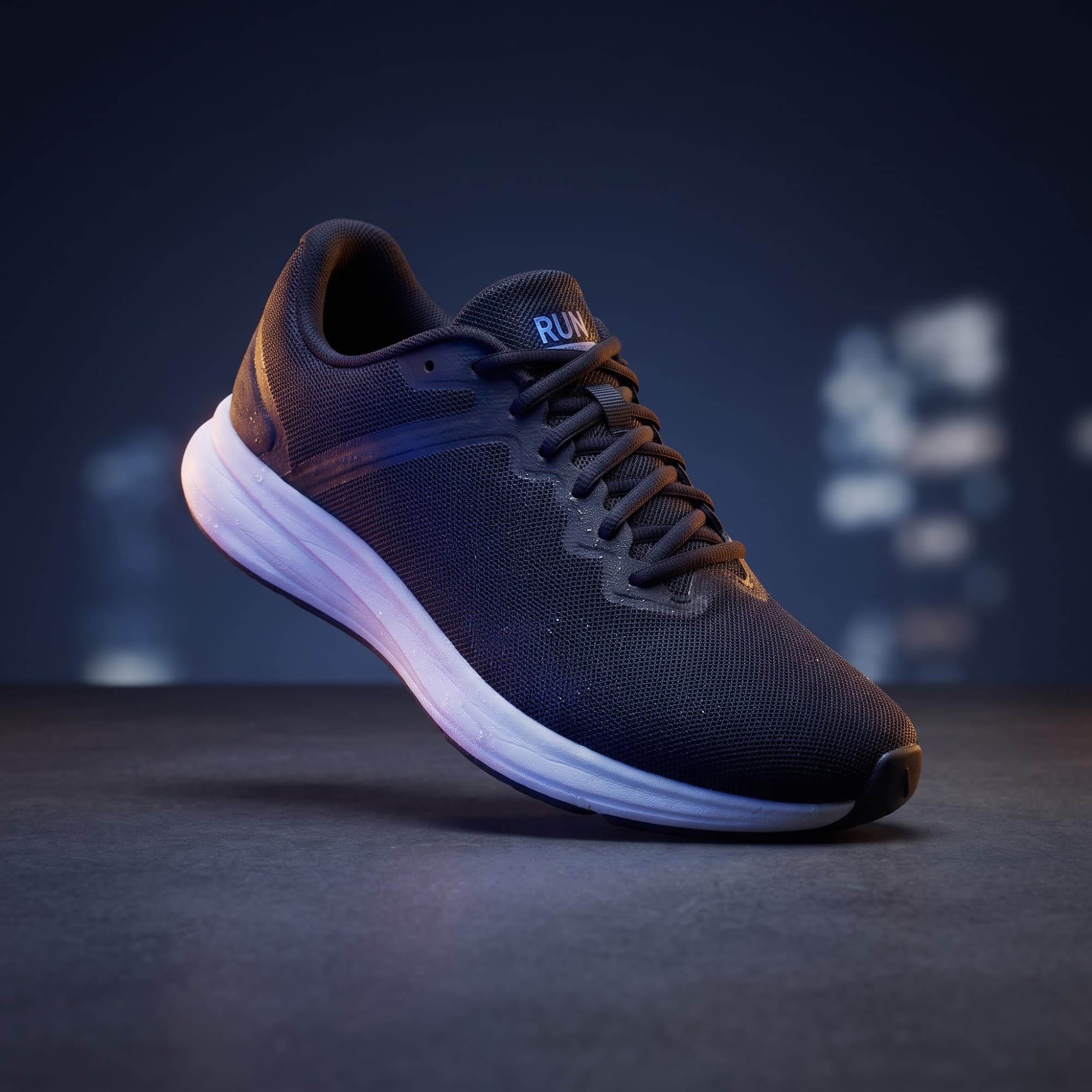
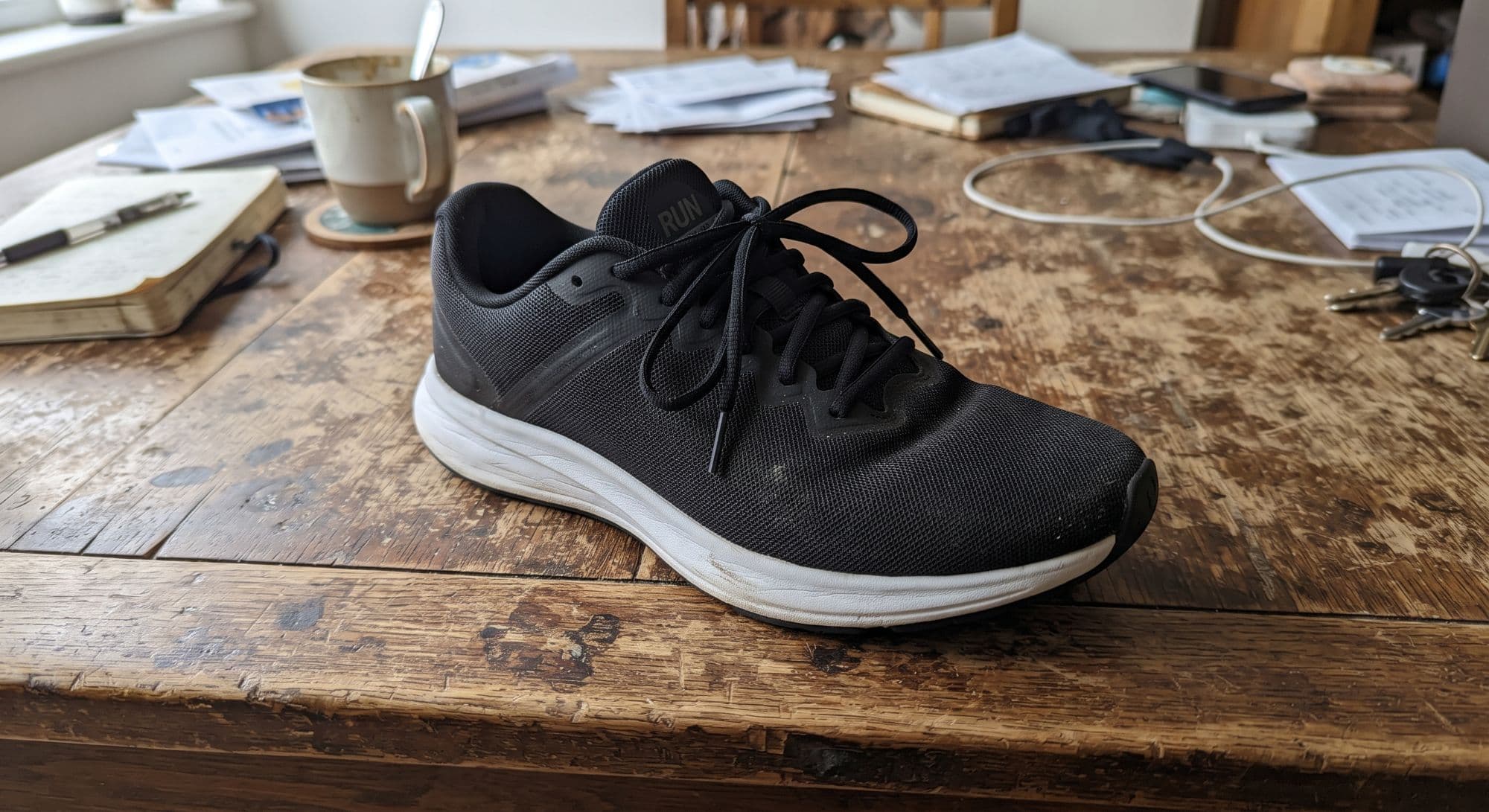
From an everyday photo to a studio shot.
- 01Studio shots from the photos you haveImage generators turn everyday product photos into studio-quality shots for the site, without a photo shoot.
- 02More concepts for every pageAI design tools let us explore more directions for each page, so the one you choose is chosen against real alternatives.
- 03Refined into componentsThe chosen direction becomes the components the whole site is built from: hero, cards, forms, navigation.
The site feeds the systems that run the business.
Connected on every build, so what a visitor does reaches the people and records that act on it.
- CRM// from the enquiry formAMAlex MorganNew leadSourceServices pageOwnerSales teamA lead with the page it came from, routed to its owner.
- Payments and accounting// from the checkoutInvoice 1048PostedPaymentCapturedTotal€145Paid and posted, with no order typed in twice.
- Reservation system// from the booking slots18:30Table for 219:30Table for 620:30Written where the team already works.
- Back-office systems// from the sign inCustomer recordSeptember statementRead by portalActivityLoggedThe portal reads the record instead of keeping a copy.
- One reporting view// from the source tagServices pageSpring campaignSearchExample dataEvery enquiry and order counted with its source.
- Consent platform// from the consent barNecessaryRunningAnalyticsAfter the visitor's choiceChoice recordedYesMeasurement starts only once the visitor allows it.
Built, connected and handed over in full.
- 01Before launch
- Every page planned around one action: enquire, buy, book, sign in or whatever your model needs
- Concepts and imagery explored with AI design tools
- Designed for the phone first
- The whole path drawn up: the page, the form, the routing rules and the records it creates
- 02At launch
- Forms routed to the CRM
- Payments connected to accounting
- Every enquiry carries its source
- Tracking set to follow the visitor's consent choice
- The path tested end to end before it goes live
- 03At handover
- Full documentation of the site and every connection
- Training for the people who will run it
- New pages and features whenever you commission them
Keep what already works.
Most sites we are asked about already exist. Before anything is replaced, we map three things.
- 01Which pages bring enquiries todaySo the pages that already work keep working.
- 02Where every form sends its data nowSo no enquiry is lost in the switch.
- 03What tracking and consent are runningSo measurement carries over and follows the visitor's choice from the first day.
Start with one stage. Each stands on its own.
- 01Discovery
Map processes, systems and bottlenecks.
You receiveFindings and a prioritised roadmap
- 02Pilot
Prove one agent or integration in live use.
You receiveA working solution for one team or process
- 03Full build
Deliver the complete platform or programme.
You receiveProduction system, documentation, training
What kinds of site do you build?
Whatever your business model needs. Most are corporate and service sites, online stores, booking platforms or customer portals, and sites for other models, such as marketplaces or membership sites, are built the same way: around the one action a visitor should take.
How do you use AI in design?
Image generators turn everyday product photos into studio-quality shots, and AI design tools let us explore more concepts for each page. The chosen direction is then refined into the components the site is built from.
Will it connect to our CRM and accounting?
Yes, on every build. Forms route to the CRM, payments to accounting and every enquiry's source to one reporting view. Where a platform has its own connector we configure it; where it does not, we build the integration.
How are cookies and consent handled?
Consent is where Consenteo started. On the sites we build, analytics waits for the visitor's choice, and everything else on the page works either way.
Can you replace the site we have now?
Yes. Before anything is replaced we map which pages bring enquiries, where each form sends its data and what tracking runs today, so the switch does not lose what already works.
What happens after launch?
The site is handed over with full documentation of every page and connection, and the people who will run it are trained. New pages and features can be commissioned whenever the business needs them.
Can we see sites you have built?
Yes, and use them. There is a working demo for each kind of site on this page, each for a fictional business: a corporate site, an online store, a booking platform, a customer portal and a marketplace. Use one as a customer would, and the Consenteo panel beside it shows what each part sends where and what waits for consent.
How do we start?
With a discovery session that maps where visitors drop out and which systems the site should feed. You receive findings and a prioritised roadmap, and each stage after that can be commissioned on its own.
Bring us the site that should be producing enquiries.
A discovery session maps where visitors drop out and which systems the site should feed.